Markup vs Margin: How to Calculate, Convert and Avoid Underpricing
Markup divides profit by cost, margin divides it by price. Formulas, a conversion table, worked pricing examples and the mistake that leads to underpricing.
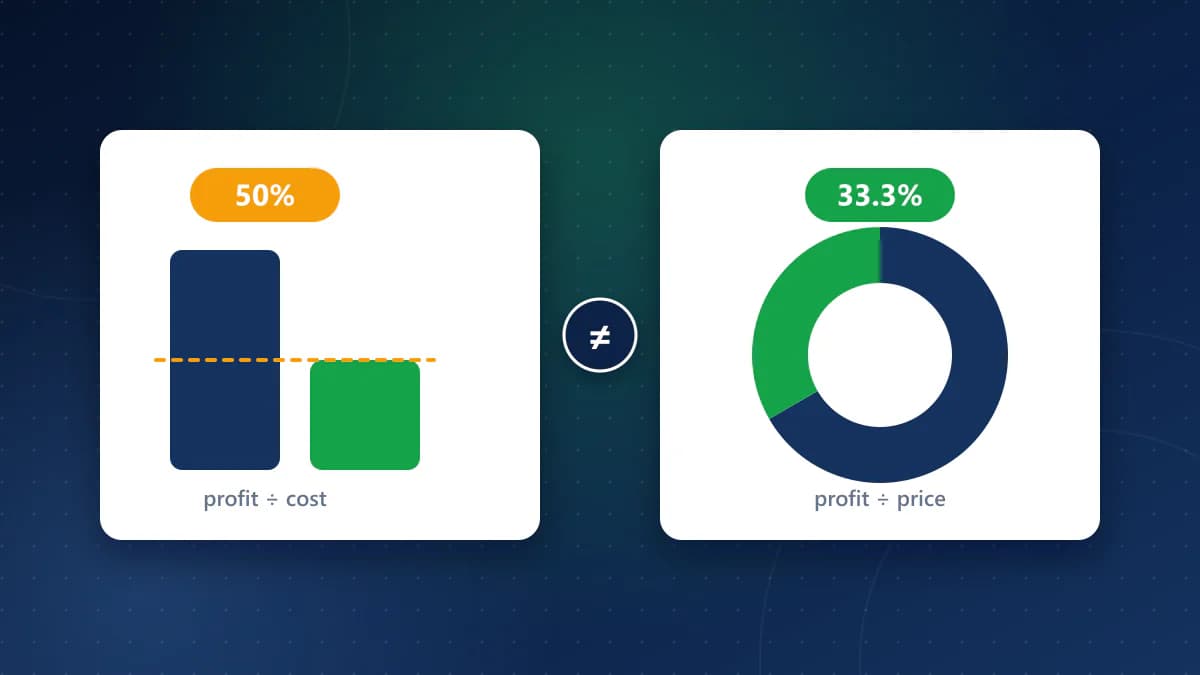
Markup and margin both describe the same profit, but they divide it by different amounts: markup divides profit by the cost, and margin divides it by the selling price. Because the cost is smaller than the price, markup is always the bigger percentage on the same sale. Mixing the two up is one of the most common ways to underprice a product: a 40% markup is only a 28.6% margin.
This guide gives the two formulas, how to convert between them, a lookup table, and a worked example of a quote that came out well below its target. The figures were calculated with the same formulas as the CoditTools Profit Margin Calculator, which has margin, markup and analysis modes.
The two formulas
Profit  = selling price − cost
Markup  = profit ÷ cost × 100
Margin  = profit ÷ selling price × 100
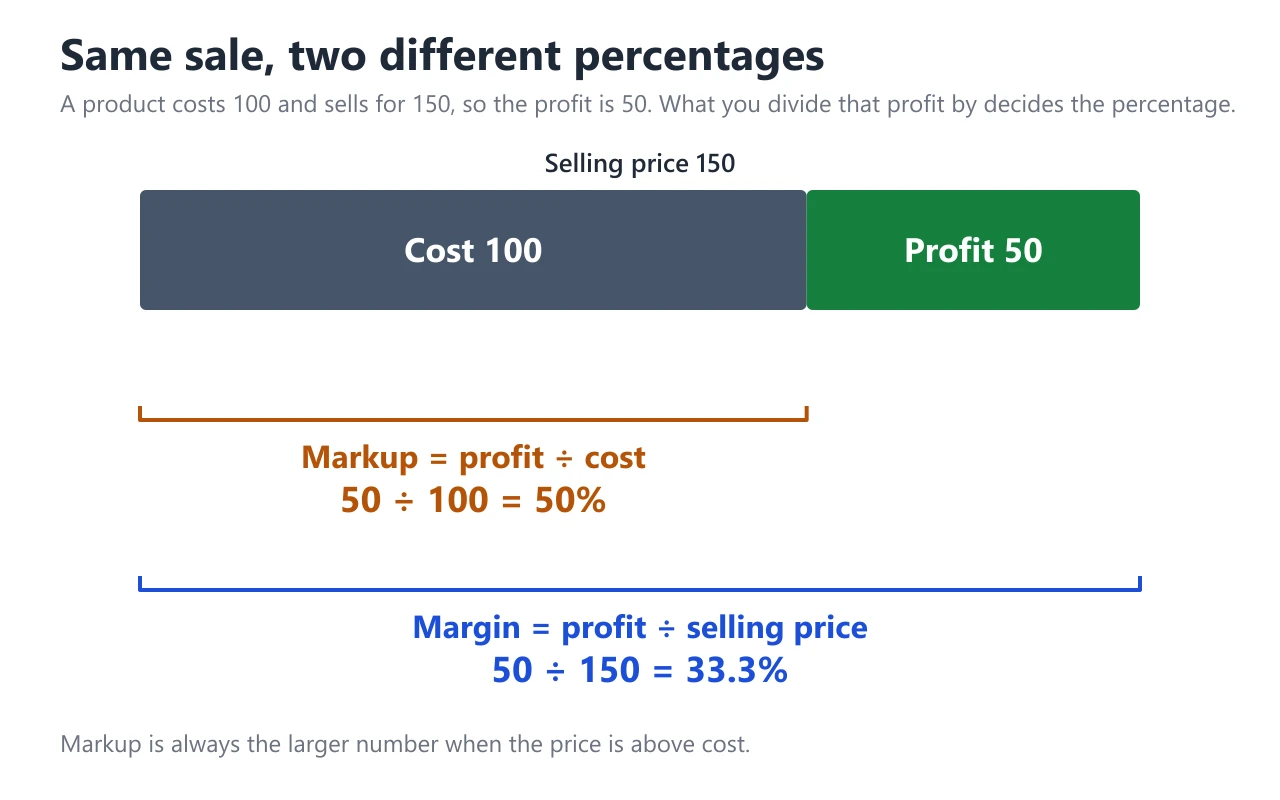
Take an item that costs 100 and sells for 150. The profit is 50. Markup is 50 ÷ 100 = 50%; margin is 50 ÷ 150 = 33.3%.
"Margin" here means gross margin: revenue minus the direct cost of the goods, as a share of revenue. It is not net profit margin, which also subtracts overheads such as rent, wages, software, marketing and tax. The Profit Margin Calculator, like the formulas above, covers gross margin and markup only.
Going from a target to a selling price
The direction depends on which percentage your target is. Both start from the cost:
- Target markup: price = cost × (1 + markup). A cost of 50 with a 30% markup sells for 50 × 1.30 = 65; profit 15; the margin is 15 ÷ 65 = 23.1%.
- Target margin: price = cost ÷ (1 − margin). A cost of 50 with a 30% margin sells for 50 ÷ 0.70 = 71.43; profit 21.43; the markup is 21.43 ÷ 50 = 42.9%.
The same cost and the same "30%" produce prices that are 6.43 apart (65 versus 71.43), which is 43% more profit per unit with a 30% margin than with a 30% markup. That gap is the cost of using the wrong formula.
Converting between markup and margin
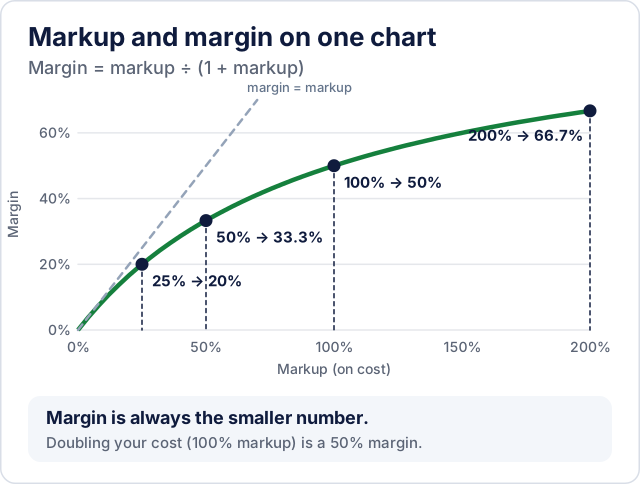
Margin = Markup ÷ (1 + Markup)
Markup = Margin ÷ (1 − Margin)
(Use decimals in these formulas: 40% is 0.40.) A 50% markup gives a margin of 0.50 ÷ 1.50 = 33.3%, and a 30% margin needs a markup of 0.30 ÷ 0.70 = 42.9%. These are the standard conversions; Corporate Finance Institute's markup guide shows the same pairs, for example a 25% markup equals a 20% margin and a 100% markup equals a 50% margin.
Lookup table
The left pair turns a markup into a margin; the right pair turns a margin into the markup you need to reach it.
| Markup | = Margin | Margin | = Markup |
|---|---|---|---|
| 10% | 9.1% | 10% | 11.1% |
| 20% | 16.7% | 20% | 25.0% |
| 25% | 20.0% | 25% | 33.3% |
| 30% | 23.1% | 30% | 42.9% |
| 40% | 28.6% | 40% | 66.7% |
| 50% | 33.3% | 50% | 100% |
| 100% | 50.0% | 60% | 150% |
| 200% | 66.7% | 75% | 300% |
Two patterns to remember: a margin can never reach 100% (that would need an infinite price, and the CoditTools calculator rejects it), while a markup can be any size, and doubling your cost ("100% markup") is a margin of exactly 50%.
A worked example: a quote that missed its target
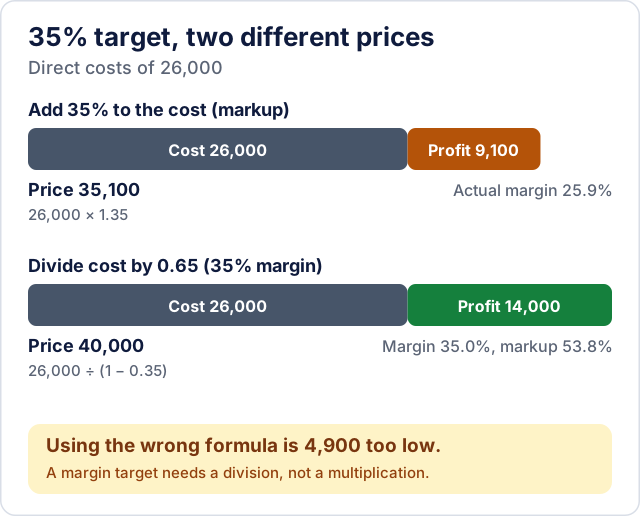
This is an illustrative example. A contractor wants a 35% gross margin on a job with 26,000 of direct costs. Adding 35% to the cost gives a price of 26,000 × 1.35 = 35,100. The profit is 9,100, which is a margin of 9,100 ÷ 35,100 = 25.9%, nearly 10 points short of the target. The correct price for a 35% margin is 26,000 ÷ 0.65 = 40,000, a profit of 14,000, which equals a markup of 53.8%. The quote was 4,900 too low because 35% was applied as a markup instead of a margin.
Check a price you already have
When you already know the cost and the selling price, work backwards: a product costing 5,000 and sold for 8,000 has a profit of 3,000, a gross margin of 37.5% and a markup of 60%. In the calculator this is the "Revenue Analysis" mode: enter the cost of goods and the revenue and read both percentages. A selling price below cost shows negative values (a cost of 100 sold for 80 is a −25% margin and a −20% markup).
Discounts hit margin harder than you expect
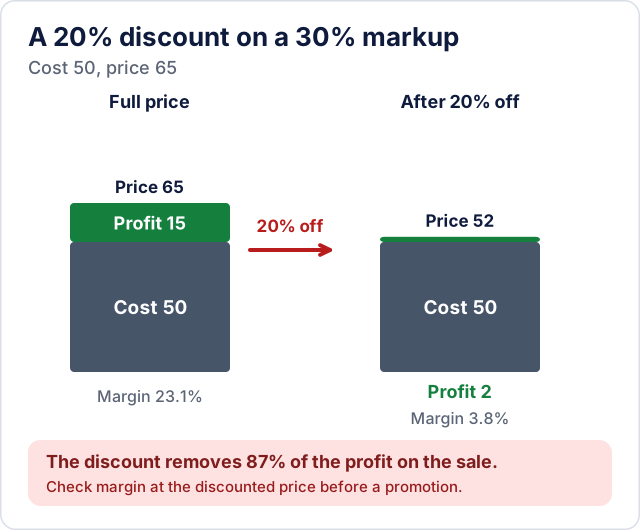
A discount comes off the price, not the cost, so it takes a large share of the profit. Back to the item costing 50 and sold at 65 (30% markup, 23.1% margin). A 20% discount gives a price of 52 and a profit of 2, so the margin falls to 3.8% and the markup to 4.0%. A 20% discount removes 87% of the profit on that sale. Before running a promotion, calculate the margin at the discounted price, not just the discount percentage.
Which one to use
- Margin is the better number for judging profitability and comparing products, because it is a share of what the customer pays, and shares of revenue add up the way financial statements do.
- Markup is convenient for setting prices from a cost list, such as "double the wholesale price" or "add 40%". It is common in retail and trades.
- Whichever you use, say which one in your spreadsheet headings and quotes ("40% markup" or "40% margin"), because the other person may assume the opposite.
What these numbers leave out
Gross margin and markup take only the cost of goods into account. Shipping, payment processing fees, returns, overhead and tax all reduce the profit you keep, so a price that works on paper at a 30% gross margin may lose money after those costs. To find out how many units you must sell to cover fixed costs, use the Break-Even Calculator, which works out break-even units and revenue from your fixed costs, price and unit cost.
Try the tools mentioned in this post - all free, no account needed.
Runs in your browser. No watermarks. No file uploads to a server.
Browse business tools →